
Log in on your phone or tablet with the app
You can log in from the same mobile device that you set up the app on. It could be an iPhone, iPad, or an Android mobile device.
Step 1: Open the BC Services Card app
Open your BC Services Card app, tap on the services tab and either search or scroll to find the service you want to log in to.
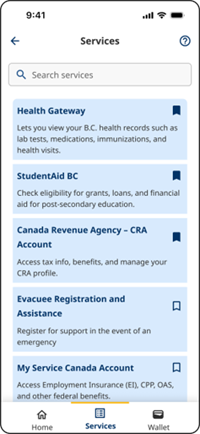
Step 2: Go to the website
If it's your first time, you will be prompted to go to the website and choose BC Services Card to log in.
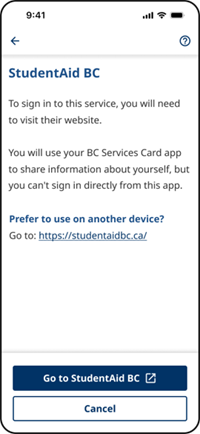
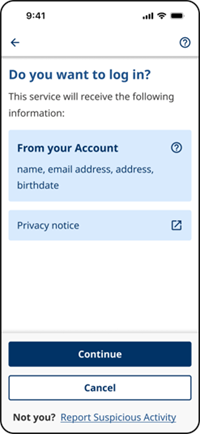
Step 3: Prove who you are using the mobile app
The BC Services Card app should automatically open. You'll be prompted to agree to log in.
Step 4: Go back to the website
If you're on an Android device, like a Samsung Galaxy or Google Pixel, you can simply tap on "Close app" and you'll go back to the website.
If you're on an iPhone or iPad, you'll need to navigate back to the browser.
The quickest way is to use the shortcut to go back to the previous app.
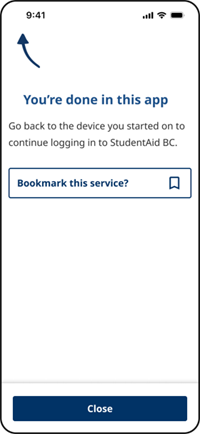
You can also just leave the BC Services Card app and open the browser yourself.
Need more help?
You can find more help in the user guides. If you're not able to find what you're looking for and want to talk to someone, call the Service BC Help Desk.
Service BC Help Desk
Open Monday to Friday (except statutory holidays)