
Digital Services Card
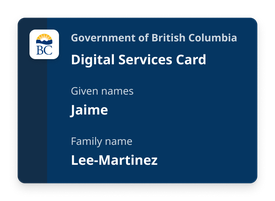
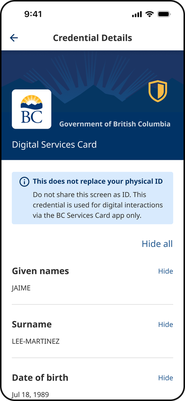
A Digital Services Card makes it safe and easy to prove things about yourself, like your name, age or address.
Digital Services Card is new. Today, it's only accepted by select pilot projects. Soon, we expect more services will start to accept it.
Your Digital Services Card is based on information from your BC Services Card. It's stored in the BC Services Card app on your smartphone or tablet.
It does not replace your BC Services Card.
Getting your Digital Services Card is optional. Most services provide non-digital options to prove your information. This includes in person, by mail, or other online options.
Online
An online service may ask for information from your Digital Services Card to help you sign in or complete an action. You must review the request and choose to confirm or deny it before any information is shared.
A website can request information from your Digital Services Card. It will request proof of your information to let you log in or complete an application form.
- When you access a service, or a person requests proof of information, they may request information from your Digital Services Card.
- You may share that information using the BC Services Card app on your mobile device. You will review what is being requested and choose whether to share it or not.
The service, or person, will only receive information that you consent to share.
Digital credentials
The Digital Services Card will be added to your BC Services Card app automatically when accessing a service that requests it.
The Digital Services Card is new and we expect to make the credential widely available in the future.
You can only add your Digital Services Card to the BC Services Card app. It cannot be added to an Apple Wallet or Google Wallet.
Requirements to getting a Digital Services Card
To get your Digital Services Card you need to:
- Be 19 years old or older
- Have a BC Services Card - how to check if you have one
- Have the BC Services Card app set up – how to set up the app
How to add the Digital Services Card to your BC Services Card app
- Use your BC Services Card app to log into a participating service. Read on how to log in.
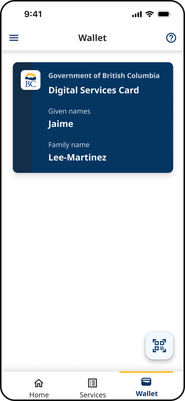
- Once you've successfully logged in, you'll see the Digital Services Card in the wallet tab of the app.
We have taken many steps to protect your privacy when you use your Digital Services Card.
- We do not know when or where you use your Digital Services Card, unless you are using it to interact with us.
- You approve every use of information from your Digital Services Card.
- We do not share your Digital Services Card with any third parties.
- Information you choose to share is only shared over a secure, confidential connection.
- Your Digital Services Card is encrypted and stored only on your mobile device.
Need more help?
You can find more help in the user guides. If you're not able to find what you're looking for and want to talk to someone, call the Service BC Help Desk.
Service BC Help Desk
Open Monday to Friday (except statutory holidays)